eSignature is Raymond James’ solution for easily, efficiently and securely obtaining electronic signatures on eligible Raymond James forms while ensuring the identity of the signing parties. Raymond James has partnered with DocuSign to provide this safe and secure online document-management service.
In addition, the following guide is available to walk you through the signing process and we have included a FAQ at the end.
To begin the process of electronically signing documents, you’ll need access to your email and to text-enabled messaging on your mobile phone.
Note: Text and data charges may apply depending on your carrier and plan.
You can view and electronically sign documents from mobile devices and computers. Multiple browsers are supported including Internet Explorer 8.0 or above, FireFox current version, Safari (Mac OS only) 6.2 or above, and Google Chrome current version.
On a computer, electronic signing is available for multiple Windows operating systems including Windows XP, Windows Vista, Windows 7, Windows 8, and Mac operating systems. To use a computer for electronic signature, you must have a broadband Internet connection. Electronic document signing might not work correctly if you are using a dial-up connection.
You’ll take the following steps to sign a document electronically:
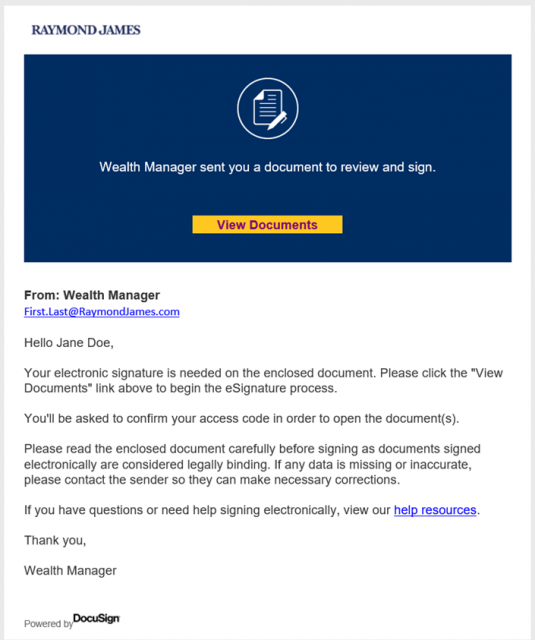
First, you will receive an email from your wealth manager or an office representative alerting you that a document is awaiting your signature.
In the email, click View Documents to launch a browser window.
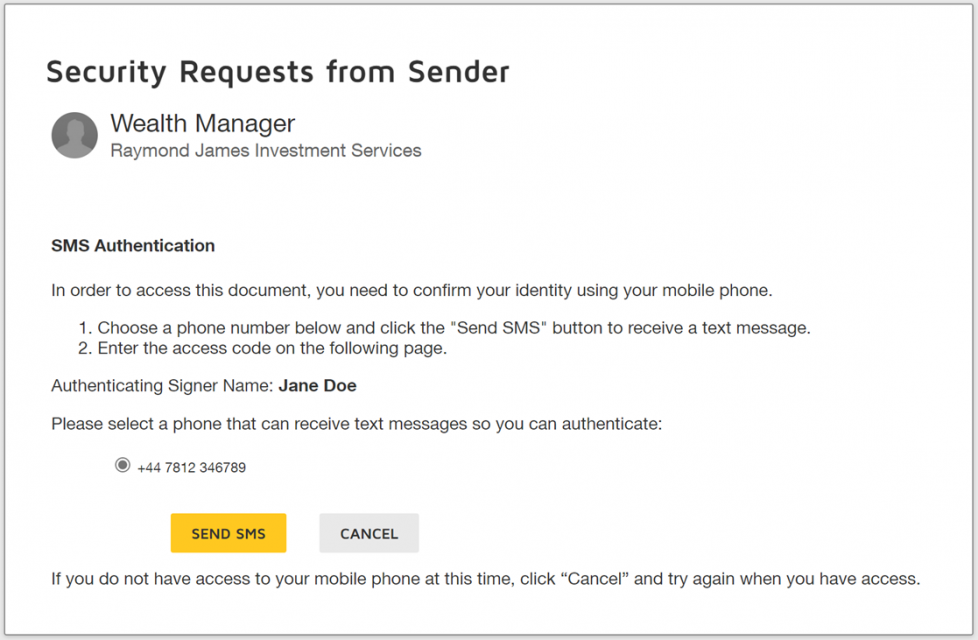
In order to view the document, you need to enter an access code that you will receive on your mobile phone via text message. In the browser window that opens:
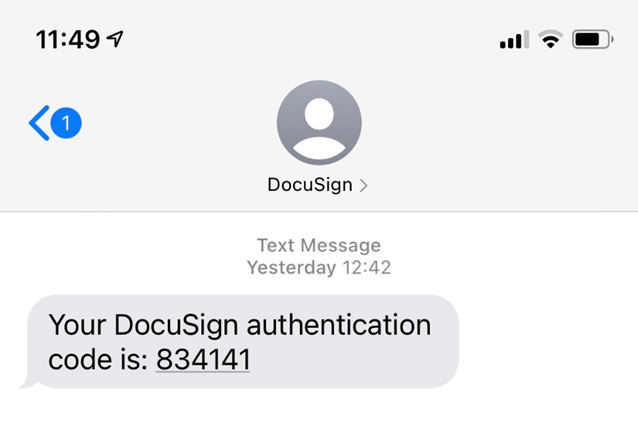
On your mobile phone, view the text message and retrieve the access code from the body of the text message.
Important: Don’t share your access code. This code prevents unauthorised access to documents being presented for eSignature and is also used to identify you as an authorised signer of the document.
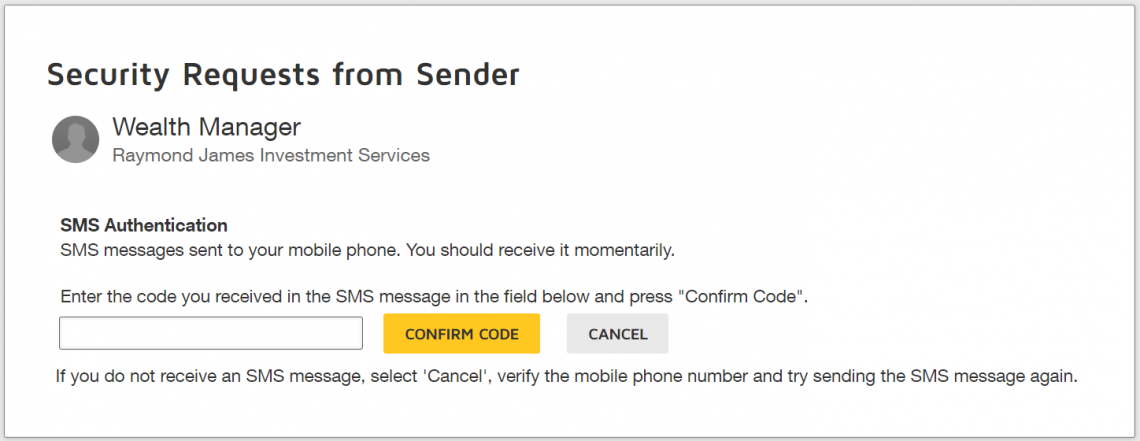
Return to the browser window (as shown below) and enter the access code provided in the text message. Click Confirm Code to complete authentication. (You have three attempts to enter the access code correctly.)
In the browser window, you now have the opportunity to accept the disclosure, view each page of the document, and electronically sign:
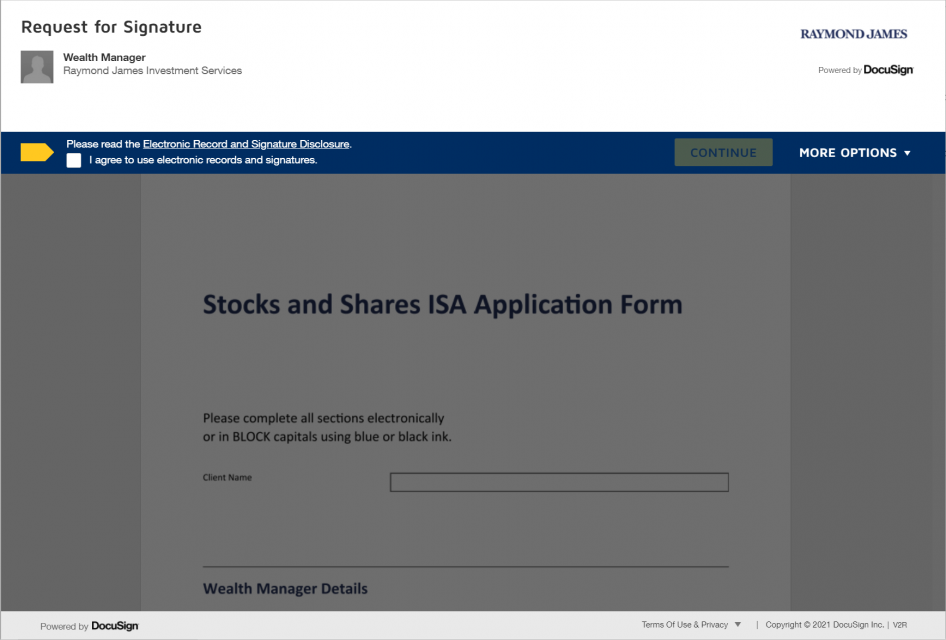
4. When you click the first Sign or Initial tag in the document, you are asked to adopt your signature.
Note: If you have previously signed documents via DocuSign and have established a DocuSign account, you may not see the Adopt Your Signature window and will use your previously adopted signature style.
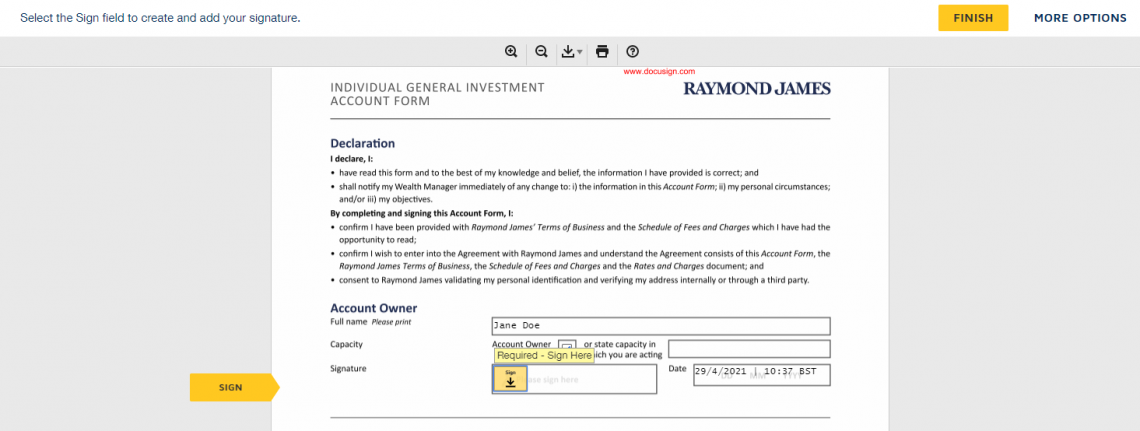
To adopt your signature:
a. Choose whether you want to select a preformatted signature style or to draw your signature. (On a touch-enabled device the default is to draw your signature.)
If you choose to use a preformatted style, you can click Change Style to view and select a signature style.
If you choose to draw your signature, click Draw and in the blocks provided, draw your signature and initials using a mouse or, for a touch-screen, your finger or a stylus. If you make a mistake, click Clear to reset the block. (You can return to the preformatted signature styles by clicking Select Style.)
b. Click Adopt and Sign to adopt and save your signature information and return to the document.
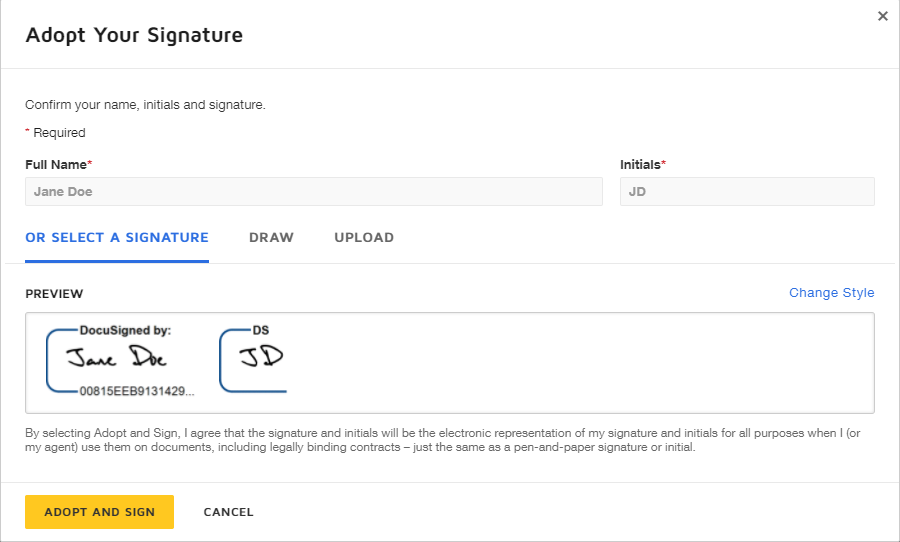
After you have completed adding information to all the required tags, you can review the content of the document page by page.
After you are done reviewing the document, click the Finish button.
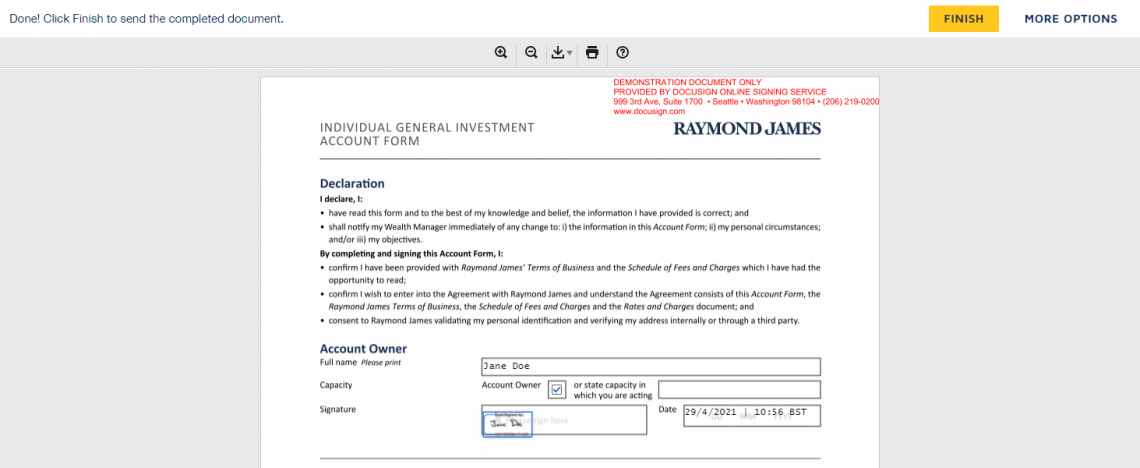
Once you have clicked the Finish button, you will be presented with a tick box to allow you to agree to the DocuSign Express Subscriber Agreement terms. The DocuSign Express certificate is uniquely assigned to the signer and protects the version of the document(s) signed, this is to ensure the content is not tampered with and that the signer can be identified. This type of certificate is required to meet the EU eIDAS (electronic IDentification, Authentication and trust Services) regulation for digital signatures.
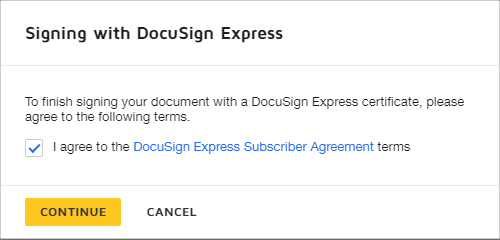
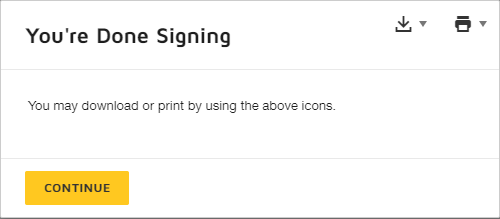
You have successfully signed your document. At this point, you have the opportunity to download or print an in-process copy by clicking the icons on the screen. When you’re ready, click the Continue button to exit electronic signing.
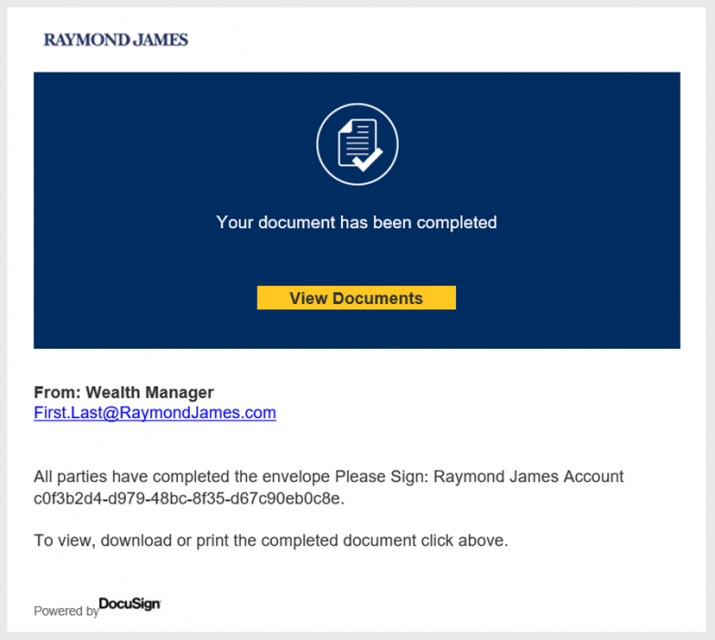
Once all parties have signed the document, including other related parties and Raymond James representatives, you will be notified via e-mail. At that point you, will have an opportunity to view, download, and print the completed document.
Q: The mobile number for text verification is wrong, what do I do?
A: Please contact the wealth manager or office representative that sent you the documents to correct it.
Q: I did not receive a text message as part of the text verification step, what do I do?
A: Please verify the phone number is correct before selecting “send sms”, you have good mobile signal and try again a little later before contacting the wealth manager or office representative that sent you the documents
Q: Some of the information on the documents is incorrect/incomplete and it needs to be amended, what do I do?
A: Only the wealth manager or office representative that sent you the documents can correct the them. Please contact them and they will make the necessary amendments and resend for signing.
Q: Once I have completed signing the documents, where can I view them?
A: You have an option to download the documents after signing and later when all parties have completed the signing you will be emailed with a link to view/download the completed documents.
Q: Am I able to sign with a standard wet signature as opposed to using the Electronic Signature solution?
A: Yes, please contact the wealth manager or office representative and request that they send/provide hard copies for signature. It is also a good idea to decline the documents in DocuSign so that the e-Signature process is cancelled.
Q: How many days do I have to open and sign a document?
A. You have 45 days from the date it was sent by your office. After this time you will not be able to sign the documents and will need to request your office sends a new copy.
Q. Why am I getting a signature warning when I open the signed PDF document?
You may see the below banner in Adobe when reviewing your signatures. This is due to the certificate for the document being unique and your computer or device may not be configured to trust it. So long as your details such as name and email address in the certificate are correct, the signature is still valid and Raymond James will accept it.

Black MondayOn 19 October 1987, the stock markets experienced a dramatic plunge that prompted many firms to shut down their trading desks and turn off their phones to minimize internal losses. Raymond James refused to do the same. Our desks stayed open to help meet clients’ needs, resulting in our first and only unprofitable quarter since the firm went public in 1983. |
 |
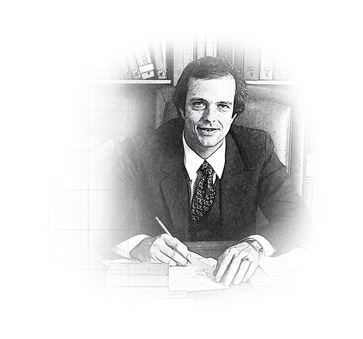
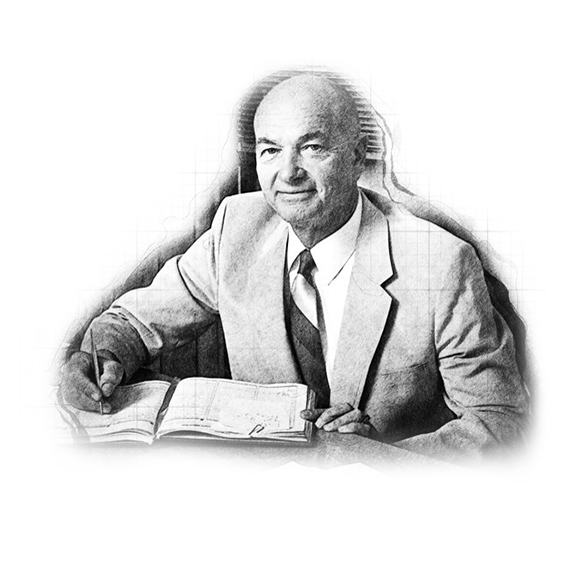
Who was Raymond James?The Raymond in our name is actually from Edward Raymond, owner of a 15-employee mutual fund sales group, Raymond and Associates, along Florida’s west coast. He sold his company to Bob James on 15 July 1964, on condition that the surviving firm be called Raymond, James & Associates. Three days after the sale, Ed Raymond was involved in a near-fatal automobile accident and never joined the firm. Nonetheless, even after Raymond had passed away, Bob James insisted that his name remain on the door – ahead of James’ own. That was a promise he made to Ed Raymond three days before the accident, and Bob James was a man who kept his promises. |
|
Bear market of 1974The severe bear market of 1974 threatened the existence of Raymond James, which was bleeding capital by the day. Tom James, his father and other leaders took extreme measures to keep the firm afloat, slashing costs, forgoing pay checks and even attempting to sell the firm for just enough capital to protect client assets and retain as many associates as possible. The story could have ended very differently if not for a sharp upturn and continued rebound in the stock markets late in the year. |

|
Taking Raymond James PublicWhen consideration was being given to taking Raymond James public, Tom James penned a letter to shareholders (largely employees at the time). ” … the public offering should be considered as a statement of our independence. While this is a psychological rather than an economic rationale, it is nonetheless very important. We have asserted for some time that we are not interested in becoming a small part of a very large corporation. That assertion results mainly from the inclinations of management rather than the economic benefits associated with either alternative. The public stock offering affords us the opportunity to enjoy a little bit of the best of both worlds. While shareholders will be given liquidity at fair market value, we will still have the ability to control our own destiny.” After 40+ years of Tom’s leadership, upon becoming CEO, Paul Reilly was often questioned about whether the company might ultimately surrender its cherished independence and be acquired by some larger entity. His response: “Not while I’m around.” It’s a theme that continues today. |
 |



